.png)
How to Use AI Video Makers for Scalable Content Creation (Maximizing Output)
Creating high-quality videos consistently can be one of the most time-consuming aspects of a marketing strategy. Whether you're running social media campaigns, producing ads, or engaging with your audience through UGC-style videos, the need to produce scalable video content that feels authentic and resonates with your audience is more crucial than ever. But the challenge lies in managing the time and resources required for video production—especially when you need to scale.
This is where AI video makers come into play.
AI video makers are revolutionizing the content creation process, allowing businesses and creators to produce large volumes of professional-looking videos without the need for expensive production teams. With the right AI tools, you can create scalable, high-quality videos for social media platforms, ads, and more.
In this article, we’ll dive into how AI video makers work, how you can use them to scale your content production, and best practices for maximizing your output without sacrificing quality.
1) The Power of Scalable Content Creation
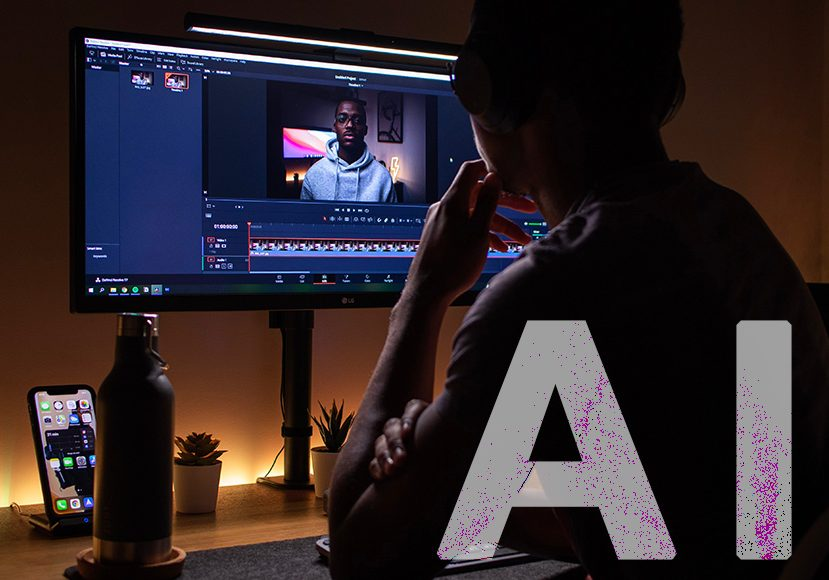
Scalable content creation means being able to consistently produce a high volume of videos while maintaining quality. This is crucial in today's fast-paced digital environment, where content is king, but time and resources are limited.
Here’s why scaling video content is essential:
A) Faster Response Time
Being able to generate videos at scale means you can respond to trends, updates, and audience preferences much faster. If you’re a brand, responding quickly with relevant video content can boost engagement and increase brand visibility.
B) Consistency
Content that resonates with audiences requires frequent updates. When you automate video creation, it’s easier to ensure consistent video output, whether it's daily, weekly, or monthly.
C) Increased Reach
Scaling content means that you can create more video content across different formats, sizes, and social media platforms. Each piece can be tailored to meet the needs of a specific channel (TikTok, Instagram, YouTube, Facebook, etc.), thereby increasing your reach across various audiences.
D) Cost-Effectiveness
AI video tools reduce the need for large teams, allowing you to produce content at scale without additional costs. You get more bang for your buck with each video produced, making it a cost-effective option for content creation.
2) How AI Video Makers Work
AI video makers are designed to make video creation easier, faster, and more intuitive. These tools use artificial intelligence to automate tasks that would traditionally require human input, such as video editing, voiceover generation, and even scene creation.
Key Features of AI Video Makers:
· Script-to-video generation: Input a script or idea, and the AI will generate a video based on the text, automatically pulling relevant clips, images, or animations.
· Template selection: Choose from pre-built templates designed for various purposes (e.g., ads, YouTube intros, social media videos, etc.).
· Customization options: Once the AI creates the base video, you can make simple adjustments (e.g., text, music, pacing) to fine-tune the video.
· Voiceovers and narration: Many tools allow for AI-generated voiceovers, where the script is read aloud by an AI voice. This can be helpful for creating explainer videos, tutorials, or social content.
· Editing automation: AI tools often feature automated editing functions such as trimming, cutting, and adding transitions or effects, saving you hours of manual work.
Popular AI Video Makers:
1. Pictory: Pictory turns blog posts, articles, and long-form content into bite-sized videos that are perfect for social media sharing.
2. InVideo: InVideo offers a range of templates, script-to-video generation, and intuitive editing tools to create videos for a variety of platforms.
3. Lumen5: This AI video maker turns written content into engaging video content by selecting the best footage and matching it with your text.
4. Synthesia: Synthesia uses AI to create videos with realistic avatars reading your script, making it ideal for educational content or training videos.
These tools are not just for simple video creation—they’re designed to optimize workflows, enhance efficiency, and maximize video output.
3) Creating a Scalable Video Production Workflow with AI
To scale your video content creation effectively, you need a clear workflow. Here’s how to build an efficient process that leverages AI video tools for maximum output:
Step 1: Content Planning
Before jumping into video creation, spend time planning your content. Decide what types of videos you need and how often you plan to produce them.
· Video formats: Choose which formats you’ll be creating regularly (e.g., social media posts, YouTube videos, ads).
· Video themes: Determine your content themes or pillars (e.g., tutorials, testimonials, product demos).
· Platform optimization: Plan for different platforms by thinking about the format (e.g., vertical for TikTok, horizontal for YouTube) and the video length (e.g., 10-second clips for Instagram vs. 2-minute tutorials for YouTube).
Step 2: AI Video Tool Setup
Select an AI video tool based on your content needs. If you plan to create short-form videos (e.g., for TikTok, Instagram), tools like Pictory or InVideo may be ideal. For more professional or corporate content, platforms like Synthesia or Lumen5 may suit your needs.
· Set up templates: Customize templates for different types of videos (e.g., one for product demos, one for customer testimonials).
· Upload content: Prepare the raw content you want to transform into videos (e.g., text scripts, images, video footage).
Step 3: Script Input
For many AI video makers, you’ll need to input a script. The better your script, the better the AI video will turn out.
· Write concise, clear scripts: Avoid long paragraphs and make sure the tone matches the type of video (casual for TikTok, formal for YouTube).
· Use bullet points: Break your script into clear points, especially if you're creating how-to videos or demos.
Step 4: Automate Video Creation
Once your script is in place, let the AI tool do its magic. It will automatically generate the video by:
· Selecting relevant images or video clips based on your script.
· Adding transitions, text overlays, and background music.
· Syncing the video with voiceover or AI-generated narration.
Step 5: Editing and Customization
While the AI video tool automates most of the creation process, you’ll want to review and make adjustments:
· Trim or cut unnecessary parts.
· Add branding elements like logos or watermarks.
· Adjust audio levels (music, narration).
· Refine pacing to match the platform's needs (e.g., faster cuts for Instagram, slower pace for YouTube).
Step 6: Export and Distribute
Once you’ve finalized the video, export it in the correct format and resolution for your platform (e.g., 1080p for YouTube, 720p for Instagram). Some tools offer direct integration with social media platforms, making it easy to publish and schedule your videos.
4) Maximizing Video Output with AI
Once you have your scalable video workflow set up, the key to maximizing output lies in consistency and automation. Here are some best practices to ensure your process runs smoothly:
A) Repurpose Content
Don’t create new videos for every post. Repurpose content across different platforms by adjusting video formats and lengths:
· Shorten YouTube videos to create teaser clips for TikTok or Instagram.
· Transform blog posts into explainer videos for LinkedIn.
· Create story snippets from longer form videos.
B) Create Video Batches
Batch your video production:
· Spend one day writing scripts.
· The next day, generate multiple videos using your AI tool.
· Then, schedule them for posting over the next week.
This prevents burnout and ensures a consistent video output stream.
C) Test and Iterate
Not every video will be a hit, but with automation, you can test different variations quickly. Use A/B testing to figure out what works best, adjusting:
· Headlines
· CTAs
· Pacing
· Visual style
D) Outsource for Complex Edits
While AI tools can handle most video creation, for more complex edits (e.g., high-end animation, special effects), you can still use human editors. AI will handle the heavy lifting, and editors can add the finishing touches.
5) Best Practices for Scaling Video Production with AI
A) Focus on Quality Over Quantity
Even though AI can produce videos quickly, don’t sacrifice quality for the sake of volume. Ensure that every video you create offers value to your audience and aligns with your brand.
B) Consistency is Key
Consistency is important for brand recognition and audience retention. Make sure the style, tone, and messaging are consistent across all videos, even if they’re created at scale.
Since a significant portion of video content is consumed on mobile devices, always optimize videos for mobile formats (e.g., 9:16 aspect ratio for Instagram stories, TikTok, etc.).
Suggested Internal Links (Anchor Text Ideas)
· AI video tools (link to your video tool page)
· Video content repurposing (link to repurposing guide)
· Automated video creation workflow (link to detailed process)
· Video editing for marketers (link to editing tools page)
Conclusion
AI video makers are an incredible resource for scaling your content production. By automating video creation, you can produce high-quality videos at a faster rate, engage your audience more effectively, and maintain brand consistency across your social media channels. The key is to build a solid workflow, automate where possible, and consistently iterate based on audience feedback and performance data. By following the strategies outlined in this article, you'll be well on your way to maximizing your video output without sacrificing quality.