.png)
How to Automate Video Creation for Social Media Marketing (Maximizing Efficiency and Reach)
In 2026, social media video content isn’t just a nice-to-have—it’s a must-have. With users consuming short-form video content faster than ever on platforms like TikTok, Instagram, YouTube, and Facebook, the need for high-quality videos has never been greater. The challenge for businesses is no longer just about creating videos—it’s about creating enough videos, at the right time, and without burning out your team.
This is where video automation comes in.
Thanks to advanced AI video creation tools, marketers and content creators can now produce videos at scale, dramatically increasing both efficiency and reach. But how do you actually automate video creation, and how do you make sure it aligns with your social media strategy?
This article will break down the benefits of automating video content, the tools you can use, and how to integrate automation into your marketing workflows so that you can maximize engagement without sacrificing quality.
1) Why Automate Video Creation?
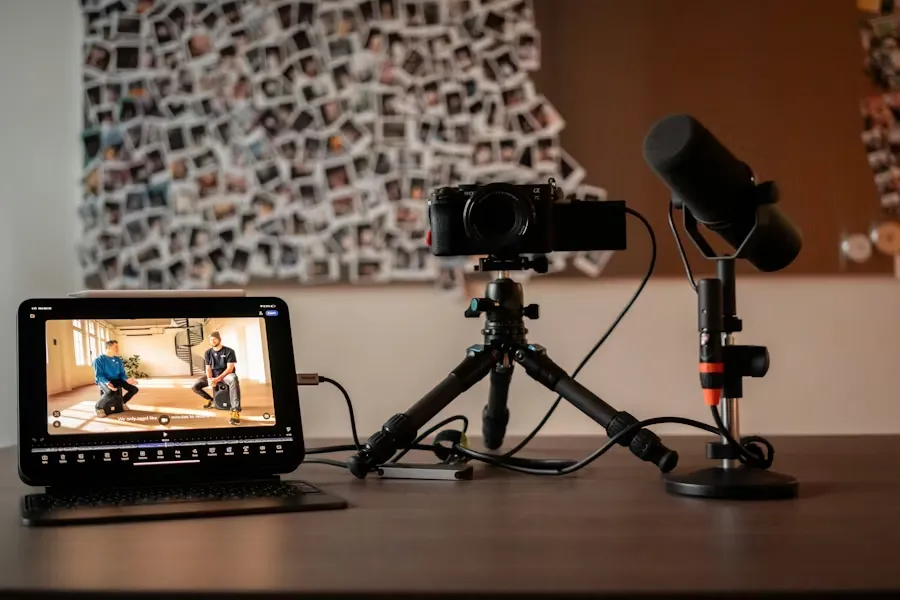
Video creation is a time-intensive task that often involves multiple steps: writing scripts, shooting footage, editing, uploading, and distributing. For brands managing social media accounts, this process can quickly become overwhelming—especially when they need to produce content frequently.
Automation can help solve these pain points by streamlining and speeding up the process, allowing you to focus on what truly matters: engaging your audience and driving conversions.
Here’s why you should consider automating your video creation:
A) Increased Production Speed
With automated tools, you can produce videos at a much faster rate. AI-driven tools can take a concept or script and generate a finished video in minutes, instead of hours or days. This drastically speeds up content creation, especially when you need a consistent stream of posts for your social media channels.
B) Scalability
Manual video creation becomes increasingly difficult as you scale. Once you automate, creating multiple videos in a short timeframe becomes a matter of selecting templates, inputting prompts, and refining the final product. Whether you're posting 10 times a week or 50, automation ensures you meet your volume targets without sacrificing quality.
C) Consistent Quality
AI tools are designed to produce high-quality videos based on your specifications. By automating your video production, you ensure that your videos have consistent style, format, and pacing, creating a unified brand experience across all social platforms.
D) Reduced Labor Costs
Automation reduces the need for a large team of content creators, editors, and animators. While you still need strategic oversight, AI handles the grunt work—saving you time and money on manual video production.
E) Improved Engagement
Automating content creation lets you produce more videos, which means more chances to engage with your audience. By continually refreshing your content and testing new video styles and angles, you increase the likelihood of reaching the right audience and maximizing engagement.
2) Tools to Automate Video Creation
To get started with video automation, you'll need the right tools in your content arsenal. Thankfully, the rise of AI-powered video makers has made automation easy, even for non-video experts. Here are some top tools that can help automate the process:
A) AI Video Makers
AI-powered tools like Lumen5, Pictory, and InVideo use AI to create videos from text, images, or pre-recorded footage. You simply input a script or set of keywords, and the platform uses natural language processing and machine learning to select relevant video clips, add captions, and even automate transitions.
Key benefits:
· Script-to-video generation: Automatically turn blog posts or articles into videos.
· Template selection: Choose from a variety of templates designed to fit your content type.
· Quick editing features: Adjust video length, add captions, change formats, and more with minimal effort.
These tools make it possible to generate professional-looking videos from scratch in minutes, making them ideal for quick social media updates.
B) Social Media Video Automation Platforms
Platforms like Promo and Animoto let you create videos quickly using a simple drag-and-drop interface. These platforms typically offer customizable templates, stock footage libraries, and integration with popular social media platforms to directly export your videos.
Key benefits:
· Pre-built social media templates: Choose video styles optimized for Instagram, TikTok, YouTube, etc.
· Automatic resizing: Automatically resize your videos to fit the aspect ratios of different platforms.
· AI-based music syncing: Automatically sync background music with your video’s pacing.
These tools are best for creating short-form videos that are specifically tailored for social media platforms.
C) Text-to-Video Tools
If you have a lot of written content (e.g., blog posts, newsletters), tools like Designhill or Synthesia can turn your written text into engaging video content. These platforms allow you to create videos without needing to shoot footage, making it easy to repurpose existing content.

Key benefits:
· Text-to-video automation: Convert text into visually engaging video content.
· Custom avatars or AI presenters: Some platforms even offer AI-generated presenters to narrate your script.
· Voiceover generation: Automatically add AI-generated voiceovers for a professional touch.
Text-to-video tools are particularly useful for repurposing blog posts, articles, or even user-generated content (UGC) into video formats that are optimized for engagement on social media.
D) Social Media Management Platforms with Video Integration
Platforms like Hootsuite, Buffer, and Sprout Social now offer video automation features as part of their content scheduling services. While these platforms don't directly generate videos, they allow you to schedule and automate video uploads, track engagement, and measure performance across platforms.
Key benefits:
· Video scheduling: Automatically schedule and post videos across social media channels.
· Cross-platform publishing: Streamline your workflow by managing all your accounts in one place.
· Performance analytics: Track the performance of your video content across platforms and optimize your strategy.
These tools are great for automating the distribution of your videos after they're created, ensuring they reach your audience at optimal times.
3) Video Automation Workflows: How to Integrate It Into Your Social Media Strategy
Now that you know the tools you need, it’s time to build a streamlined video automation workflow that fits seamlessly into your social media strategy. Here’s how to integrate automation into each step of the process:
Step 1: Content Planning
Start by planning your content strategy. Decide on the types of videos you want to produce, how often you need to post, and the themes you want to focus on. You can plan around:
· Holidays and events (e.g., Black Friday, product launches)
· Trends and challenges (e.g., popular social media challenges or memes)
· User-generated content (e.g., encouraging customers to create content)
Step 2: Scriptwriting and Prompts
Once you have your content strategy, create simple scripts or prompts that you can input into your AI tools. This might include:
· Text-based scripts (for video narration)
· Visual prompts (for product demos)
· Short descriptions of what you want in the video (e.g., “show a person using [product] with a smile, bright lighting, and upbeat music”).
Step 3: AI Video Creation
Use one of the AI video creation tools mentioned above to generate the videos. Once the videos are created:
· Review and refine: Ensure that the video aligns with your brand’s tone and messaging.
· Customize if necessary: Add elements like your brand logo, captions, and a call-to-action.
Step 4: Scheduling and Distribution
Schedule your videos to go live at optimal times using a social media management platform. These platforms allow you to:
· Set video post times based on when your audience is most active.
· Push videos to multiple platforms (e.g., Instagram, YouTube, Facebook, TikTok) simultaneously.
Step 5: Track Performance and Iterate
Once your videos are live, track their performance across platforms using analytics tools. Look at metrics such as:
· Engagement rates (likes, shares, comments)
· View counts (for platforms like YouTube and TikTok)
· Conversion rates (for ads or landing page traffic)
Analyze the data, and use insights to adjust your video creation strategy for future content.
4) Best Practices for Video Automation
To ensure that your automated videos perform well and align with your goals, here are some best practices:
A) Keep It Short
Social media audiences have short attention spans. Aim for videos between 6–15 seconds to maintain engagement and improve your video’s performance.
B) Focus on High-Quality Content
Even though automation speeds up the process, quality should never be compromised. Always start with high-quality scripts, images, and raw footage to ensure the final product is polished.
C) A/B Test Different Video Variations
Test different video angles, CTAs, pacing, and visuals to determine what resonates best with your audience. This is especially important when automating content creation at scale.
D) Add Captions
Many users watch videos on social media without sound. Always add captions to your videos to increase accessibility and engagement.
E) Monitor Trends
Stay on top of social media trends and incorporate them into your video content to stay relevant and increase the chances of your video going viral.
Suggested Internal Links (Anchor Text Ideas)
· AI video maker (link to your AI video maker tool)
· Social media video scheduling (link to scheduling platform)
· Video marketing tips (link to blog post)
· Video editing software (link to software page)
Conclusion
Automating video creation is a game-changer for social media marketers. It allows you to scale content production, increase engagement, and optimize your workflow—all while saving time and money. By integrating video automation tools and workflows into your strategy, you can ensure that your social media channels stay fresh, consistent, and highly engaging, all without burning out your team. Whether you’re creating ad videos, product demos, or viral content, automation makes it easier than ever to meet your marketing goals.